
What is routing?
4 min read
AI routing chooses where a model request runs. Learn how Aventail™ connects cloud models, your own computer and another approved device, with optional backups.
AI routing chooses where an AI request is processed. That might be a cloud model, a model on your own computer, or a model running on another computer you can use.
For example, an application can send a request to Aventail™ Link’s local API. Link can run it on your computer or route it to a configured cloud model or another reachable Link computer. You can prepare a local model as backup if the cloud connection becomes unavailable.
The app, the model and the computer
These are separate parts of the workflow. Your app is where you work. The model generates the answer. The model runs somewhere: on your computer, another device or a provider’s infrastructure.
Aventail™ Link combines an inference engine with a local API and routing gateway. Applications send model requests to Link; Link runs the request locally or sends it to an eligible destination. You manage routing in Aventail™ Control.
Aventail™ supports a broad choice of models and endpoints, including Google and Anthropic models, Kimi, DeepSeek, Mistral and Qwen. Choose from the models available through your connections and compatible runtime.
Two ways to connect an application
Use Link’s local API. Connect your own software or a compatible client to Link’s OpenAI-compatible chat-completions endpoint. In Link, use Connected apps → Connect another app yourself → Copy address, then copy the exact model identifier from Models → Model details. The API walkthrough shows model discovery and a complete request.
Use Aventail™ Connect. For supported apps such as Claude Code and OpenCode, Connect configures the app’s connection to Link for you. The supported-app list describes these automatic setups; other clients can use the API when their required features are compatible.
A local endpoint is the first hop, not proof that inference stays on that computer. The applied routing setup determines where the request runs.
Three places a request can run
Cloud provider. Use a supported model through your chosen provider or endpoint. Requests sent there are processed by that provider and use your provider account.
This device. Run a compatible model on the computer you are using. Download the model and prepare it before relying on local processing.
Another device. Use a model on another computer running Aventail™ Link. Currently, both computers must be on the same network and registered to the same Aventail™ account.
Each request is handled at a selected destination. Peer routing lets you use another computer’s model and processing power; it does not combine the computers into one larger GPU.
How the current setup chooses a destination
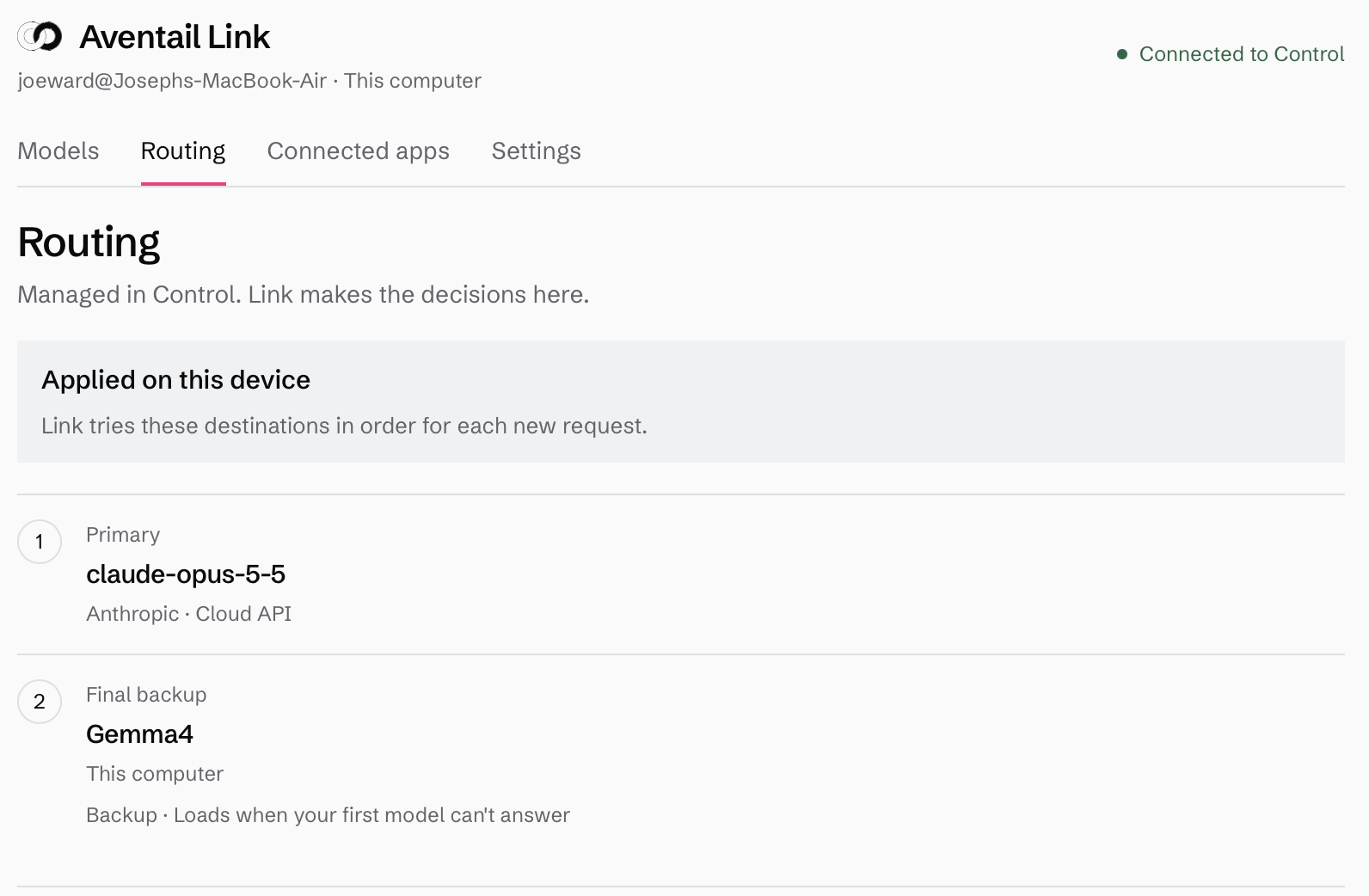
The simple routing setup is available to all accounts. Choose the model to try first, then add optional backups in the order you want. A downloaded model on this computer can be the final backup.
For example: try your chosen cloud model first, then a model on another reachable Link computer, then the downloaded local model. Only include destinations permitted for the work you plan to do.
Link tries the next destination if it cannot connect. Each new request starts at the top of the applied order. When internet access is unavailable, cloud destinations are skipped. A reachable device on your local network can still be usable.
This connection-failure workflow does not automatically switch models because an answer is weak, a response is slow or a computer gets hot. Advanced fleet policies have a separate setup.
Why add a backup?
A backup gives a request another permitted place to run when the first destination cannot be reached. A local backup can be useful when internet access drops. Another computer can offer a model your laptop cannot comfortably run.
The backup still needs to be available and compatible with your app. Check the context length and features the task needs, including tool use where relevant. If no selected destination can serve the request, it can fail.
Set up your first route
Start with the walkthrough that matches what you want to do:
Use cloud AI models with a local model as backup. Connect a provider, prepare a local model and check the fallback.
Use models running on another computer. Add a same-account, same-network computer as a backup destination.
Apply your choices in Control and wait for Link to confirm them before testing. Saved choices and settings applied on the computer are different states.
Routing covers model requests that pass through Link. Review an app’s storage, plugins and other network activity separately. See how Aventail™ works for the wider platform and data flow.